


Page 190 - 《软件学报》2026年第5期
P. 190
潘伟丰 等: 基于动态分析和引力公式的关键类识别                                                        2069


                 表操作行为, 宾语代表操作的对象. 在本文中, 我们考虑了“nsubj” (主语)、“dobj” (直接宾语) 等关键依存关系, 从
                 而确保操作动词能准确关联到目标对象. 与此同时, 我们还通过对“amod” (形容词修饰语) 等修饰语的提取, 以捕
                 获更多操作对象的细节. 最后, 将提取到的操作动词、主语、宾语等信息作为一个测试用例保存到文件中. 文件中
                 的每一行包括操作行为        (操作动词)、操作对象       (名词) 以及相关描述信息.
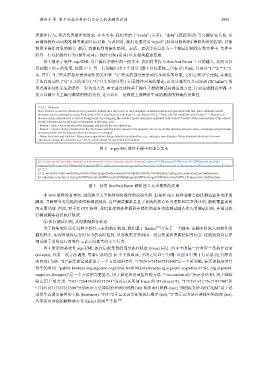
                    图  2  展示了软件  argoUML  用户操作手册中的一段文本. 我们将其作为             Stanford Parser 工具的输入, 从而可以
                 得到图   3  所示的结果. 在图   3  中, 每一行的输出由     3  个部分  (图中以红蓝绿三色标识) 组成, 分别以“1;”“2;”“3;”开
                 头. 其中, “1;”开头的部分表示动作的发出者. “2;”开头的部分表示动作及动作的对象, 它们之间以“|”分隔, 并标注
                 了各自的词性     (“%”开头的部分). “3;”开头的部分用于记录操作对象的描述; 该部分通常以介词短语                     (如“in|list”) 的
                 形式描述动作发生的条件、位置或方式. 本文通过这种基于操作手册的测试用例生成方法, 自动生成测试步骤, 不
                 仅可以减少人工编写测试用例的代价, 还可以在一定程度上保障所生成的测试用例集的完整性.


                  8.2.2.1. Selection
                  Here button 1 is used to choose (select) a model element (in a list or tree or on a diagram) on which subsequent operations will take place. Multiple model
                  elements may be selected by using Shift and/or Ctrl in combination with button 1, see Section 8.2.5, “ Shift and Ctrl modifiers with Button 1 ”. Selection is
                  always clearly indicated by a colored background. On a diagram, the selected model element is indicated with colored "blocks" at the corners/ends of the object.
                  Model elements can be selected or deselected in different ways:
                  • Button 1 click. Deselects all model elements, and selects the one clicked on.
                  • Button 1 motion. Button motion (moving the mouse with the button down) in the diagram, not on any model element, allows to draw a rectangle around model
                  elements which will be selected when the button 1 is released.
                  • Menu functions and shortcuts. Many menu operations change selection as side-effect, e.g. creating a new diagram. Many keyboard shortcuts for menu
                  operations change the selection, e.g. Ctrl-A, which stands for the Select All function.
                                             图 2 argoUML  操作手册中的部分文本


                  1;1:button model multiple element selection model select element model element 2:choose%VB|element%NN;select%VBN|model multiple
                  element%NN;select%VBN|model element%NN;3:in|list;in|combination;with|button;with|”;by|background;On|diagram;with|block;at|corner;of|object;
                  2;1:2:3:
                  3;1:2:move%VBG|mouse%NN;draw%VB|rectangle%NN;release%VBN|button%NN;3:with|button;in|diagram;on|element;around|element;
                  4;1:selection selection 2:change%VBP|selection%NN;create%VBG|diagram%NN;change%VBP|selection%NN;3:for|operation;for|function;
                                        图 3 使用   Stanford Parser 解析图  2  文本得到的结果

                    非  GUI 软件没有界面, 因而缺少关于软件如何操作的说明文档. 但是非                  GUI 软件通常会提供测试业务功能的
                 脚本, 并附带业务功能的说明和测试规范. 这些测试脚本是基于系统的核心业务逻辑和需求设计的, 能够覆盖系统
                 的主要功能. 因此, 对于非      GUI 软件, 我们直接将软件源码中提供的业务功能测试脚本作为其测试用例, 并通过执
                 行测试脚本获得执行轨迹.
                    ② 执行测试用例, 从而获得执行轨迹
                    为了收集软件运行过程中软件元素的执行轨迹, 我们基于                   Kieker [38] 开发了一个脚本. 该脚本将嵌入到软件的
                 源代码中, 实现对软件运行时行为的实时监控, 从而收集方法调用、消息传递和资源使用等信息. 这些轨迹信息详
                 细反映了系统运行时软件元素之间真实的交互行为.
                    图  4  所示的是软件   argoUML  执行后收集到的部分执行轨迹          (trace) 信息. 图  4  中的每一行对应一条执行记录
                 (records), 代表一次方法调用. 每条记录均由       10  个字段组成, 字段之间以“;”分隔. 以图        4  中第  1  行记录  (红色框内
                 的内容) 为例: “$1”表示该记录标识了一个方法调用事件. “1712916717267212400”是一个时间戳, 表示该调用事件
                 发生的时间. “public boolean org.argouml.cognitive.AndCM.isRelevant(org.argouml.cognitive.Critic, org.argouml.
                 cognitive.Designer)”是一个方法的完整签名, 用于描述该记录监控的方法. “<no-session-id>”表示会话          ID, 用于跟踪
                 特定用户的会话. “3821726496288932241”为该记录所属           trace  的  ID (traceID). “1712916717267193700”和
                 “1712916717267212300”分别表示方法调用的开始时间戳         (tin) 和结束时间戳   (tout). “DESKTOP-0JCC7QM”用于记
                 录发生该调用事件的主机         (hostname). “973”用于记录该方法的执行顺序      (eoi). “2”表示该方法在堆栈中的深度       (ess).
                 各字段更详细的解释请参考          Kieker 的用户手册  [39] .

